

HexyThing
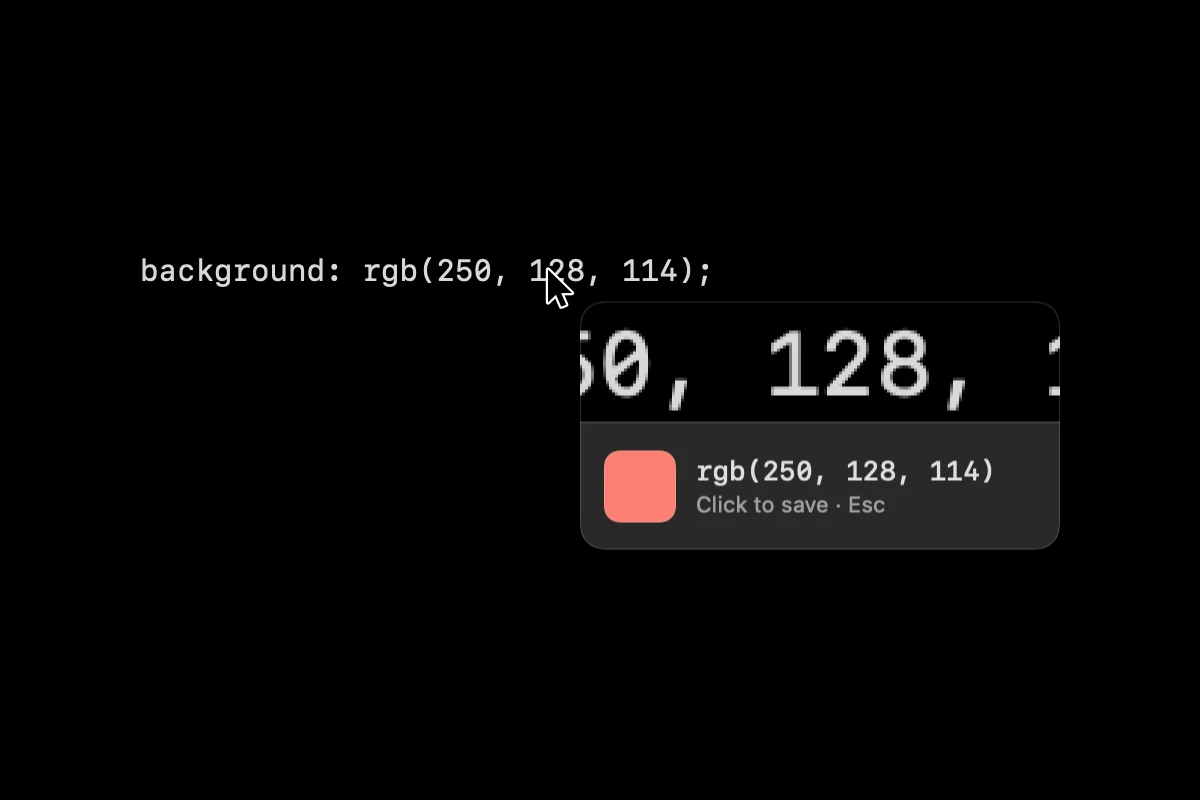
HexyThing is a macOS menu-bar app that turns colour codes written as text into colours. Press a shortcut or click the menu-bar icon, hover over a hex, RGB or HSL value anywhere on screen, and a loupe shows the swatch. Click to copy it and keep it in a history of your last 10.
What problem does it solve?
Colour codes live in specs, stylesheets, design hand-offs and screenshots as text. A colour picker samples pixels, so it tells you the colour of the text, not the colour the text describes. HexyThing reads the code itself and shows you the colour.
How it works
Press ⌃⌥⌘C or click the menu-bar icon, and a loupe follows the pointer. It captures a small strip of the screen, reads it with Apple’s on-device text recognition, and finds the colour code nearest the pointer. Click to copy the value and save it to a history of your last 10, one right-click away in the menu bar.
It reads hex, CSS functions such as rgb() and hsl(), bare values like 58, 123, 213, and labelled values like R 58 G 123 B 213. Function values are copied as written. Bare and labelled values are copied as rgb() or hsl(). Hold Option to read unlabelled values as HSL.
Whom it’s for
Designers and developers who keep meeting colour codes in documents, tickets and screenshots and want to see the colour without pasting it into another tool.
Tech
Native macOS app built in Swift with Swift Package Manager, targeting macOS 14 and up. It captures with ScreenCaptureKit, reads text with the Vision framework, and needs Screen Recording permission. The build is not notarized, so the first launch needs manual authorization. Open source on GitHub under the MIT licence.
Frequently asked questions
What is HexyThing?
A native macOS menu-bar app that reads colour codes from text on your screen. Hover over a hex, RGB or HSL value and it shows the colour. Click to copy it.
How is it different from a colour picker?
A colour picker samples pixels. HexyThing reads the written code, so it works on values in a spec, a stylesheet, a PDF or a screenshot, whatever colour the text itself is.
Which formats does it read?
Hex (#3A7BD5, #F00A), CSS rgb(), rgba(), hsl() and hsla(), bare values like 58, 123, 213, and labelled values like R 58 G 123 B 213. Hold Option to read unlabelled values as HSL.
Why does it need Screen Recording permission?
It captures a small strip around the pointer to read the text. Recognition runs on your Mac with Apple's Vision framework. Nothing is sent anywhere.
Is it free?
Yes. It is open source on GitHub under the MIT licence.