Zaigarnik
Zaigarnik is a gallery of 22 short looping animations, each an AI interface that keeps a task open. Answers freeze mid-sentence, progress bars stall at 99%, finished runs leave a TODO behind, and a yes-or-no question gets everything except yes or no. The demos are sorted by how they feel, from waiting to the interface working against you.
What problem does it solve?
AI products are full of tasks that end without finishing. A run says Completed and one file still reads TODO. A badge clears, then the 1 comes back. Zaigarnik collects these moments as short loops, so each pattern can be watched, named and pointed at in a design review.
How it works
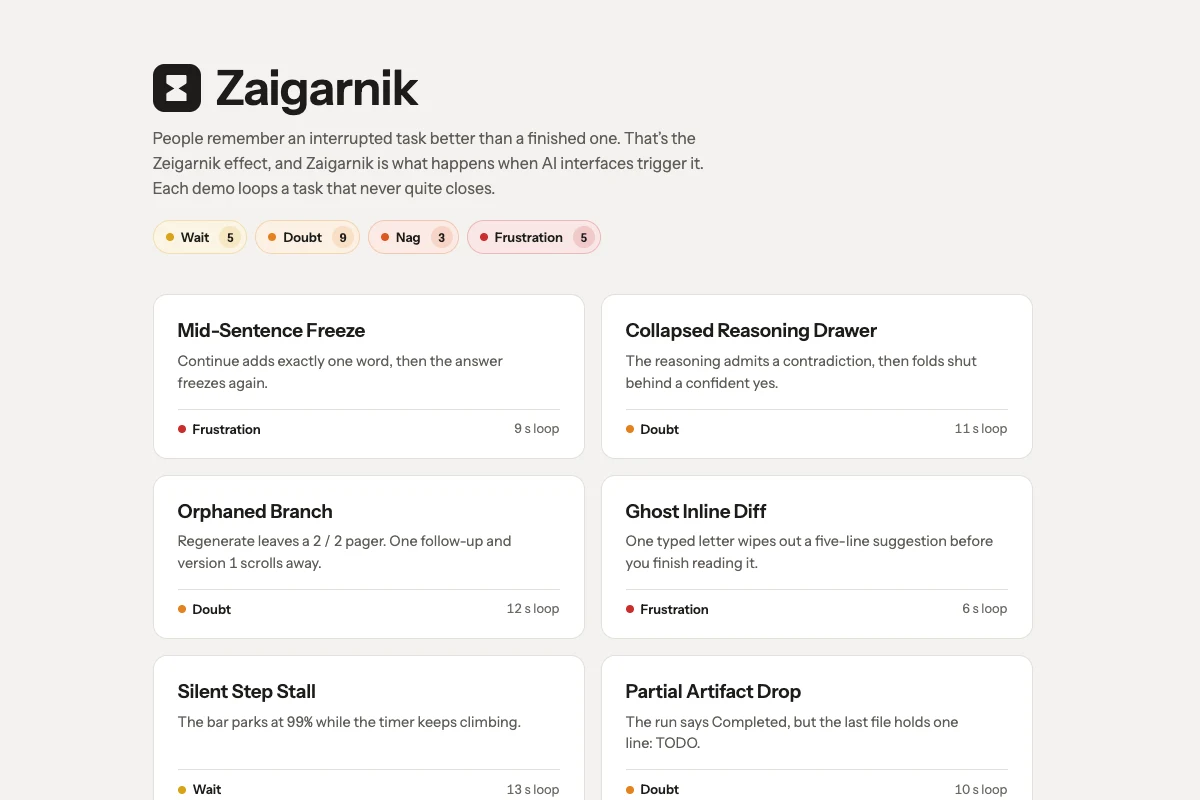
The gallery lists every demo as a card with its name, the trap in one line, a feeling and the loop length. Open a card and the demo plays in a player above the page. Each loop shows the setup, the moment the task stays open, and a reset that starts it over. Wait has five demos, Doubt nine, Nag three and Frustration five.
Whom it’s for
Product designers and writers working on AI features, and anyone who has asked a chatbot for a yes or no and got three bullet points.
Tech
React, with a small animation kit that scripts a cursor through each interface and loops it. Every demo has its own page as well. The gallery follows your light or dark setting, and with reduced motion on, each demo shows a still of its trap instead of playing.
Frequently asked questions
What is the Zeigarnik effect?
People remember an interrupted task better than a finished one. Each demo here is an AI interface that interrupts a task and never closes it.
How are the demos grouped?
By feeling. Wait holds you in suspense, Doubt leaves you unsure what happened, Nag keeps an unanswered prompt in front of you, and Frustration is the interface working against you. The colour runs from yellow to red with the level.
How long is each demo?
Between 6 and 14 seconds, on a loop. Each card shows its loop length.
Can I watch them without leaving the page?
Yes. A card opens its demo in a player over the gallery, and the arrow keys step to the previous or next one.
Are these real products?
No. Every interface is made up for the demo, though the patterns will look familiar.