

Tiloji
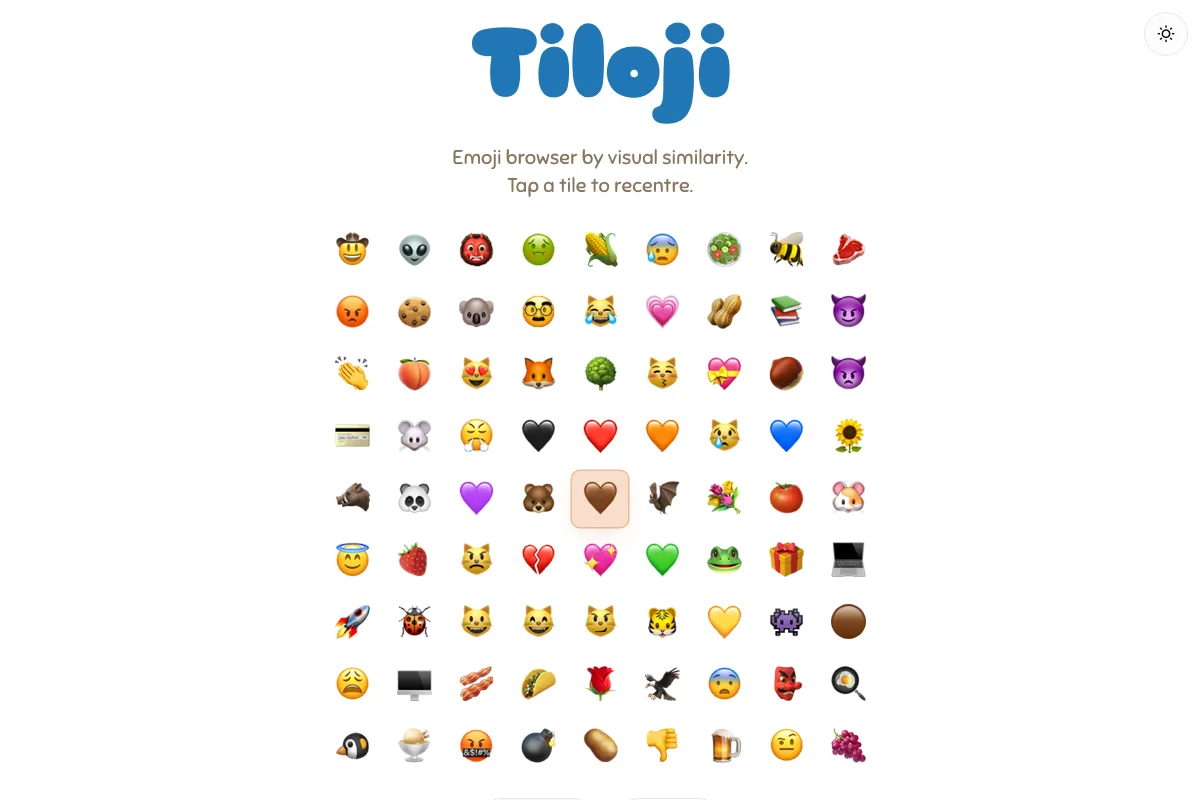
Tiloji is an emoji browser organized by visual similarity instead of category. Click any emoji and the grid rearranges around it, surfacing the most visually similar emojis first. A different way to explore the full Unicode emoji set.
What problem does it solve?
Standard emoji keyboards organize emojis by category. That works when you know what you want, but not when you are exploring. Tiloji reorganizes the entire set by visual similarity, so clicking a red circle surfaces hearts, stop signs, and Japanese flags. It turns browsing into discovery.
How it works
The full Unicode emoji set is laid out in a grid. Click any emoji and the grid rearranges, placing the most visually similar emojis closest to it. Click again to recentre. The experience is fluid and exploratory, designed for stumbling onto emojis you didn’t know existed.
Whom it’s for
Designers hunting for the right emoji, writers looking for unexpected metaphors, and anyone who has ever scrolled through an emoji keyboard wishing they could search by shape instead of name.
Tech
Client-side application with a precomputed similarity index. Rendered in the browser.
Frequently asked questions
What is Tiloji?
An emoji browser that organizes the full Unicode emoji set by visual similarity instead of category. Click any emoji and the grid rearranges around it.
How does it determine similarity?
An algorithm compares the visual properties of each emoji and ranks them by similarity to the selected one.
Does it include all emojis?
Yes. The full Unicode emoji set.
Is it free?
Yes. No signup, no ads.