

Now Playing for TIDAL
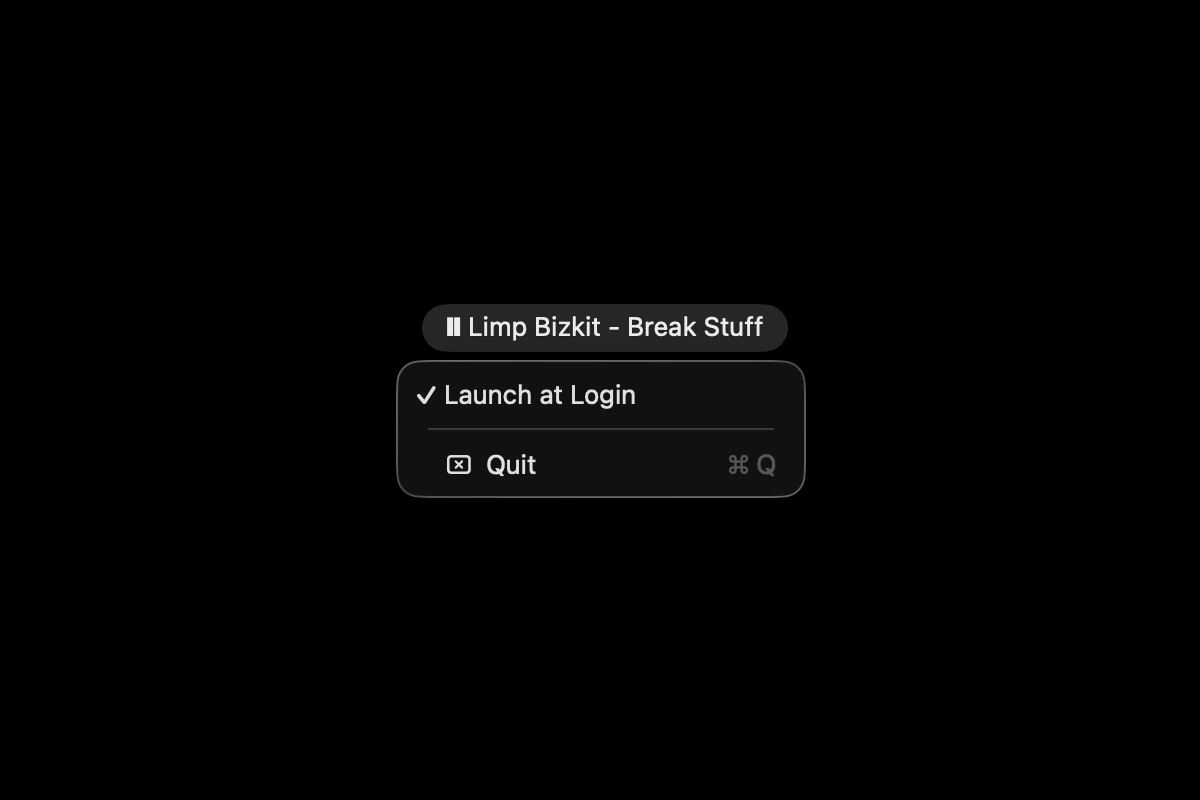
Now Playing for TIDAL is a lightweight macOS menu-bar app that shows the current TIDAL track as ♪ Artist - Title, switching to a pause glyph when playback stops. It reads playback state from the system media framework, with an optional launch-at-login.
What problem does it solve?
TIDAL has no menu-bar readout for what’s playing. To glance at the current track you have to switch to the app. Now Playing for TIDAL puts the track in the menu bar so you can see it without leaving whatever you’re doing.
How it works
The app reads playback state from the system media framework and updates the menu-bar title in place. While music plays it shows ♪ Artist - Title. When playback stops it shows a pause glyph. A small menu offers launch-at-login and quit.
Whom it’s for
TIDAL listeners on macOS who want an unobtrusive now-playing readout without a full-screen widget or a browser tab.
Tech
Native macOS app built in Swift with Swift Package Manager, targeting macOS 13 and up. It reads now-playing data through Apple’s private MediaRemote framework, so the first launch needs manual authorization. Open source on GitHub.
Frequently asked questions
What is Now Playing for TIDAL?
A native macOS menu-bar app that displays the track currently playing in TIDAL. It shows ♪ Artist - Title while music plays, and a pause glyph when playback stops.
Why does macOS warn about it on first launch?
It reads playback state through Apple's private MediaRemote framework, which prevents notarization. You authorize it manually the first time, then it runs like any other menu-bar app.
Does it work with other players?
No. It tracks TIDAL specifically.
Is it free?
Yes. It is open source on GitHub, released into the public domain.