
Commitment Issues
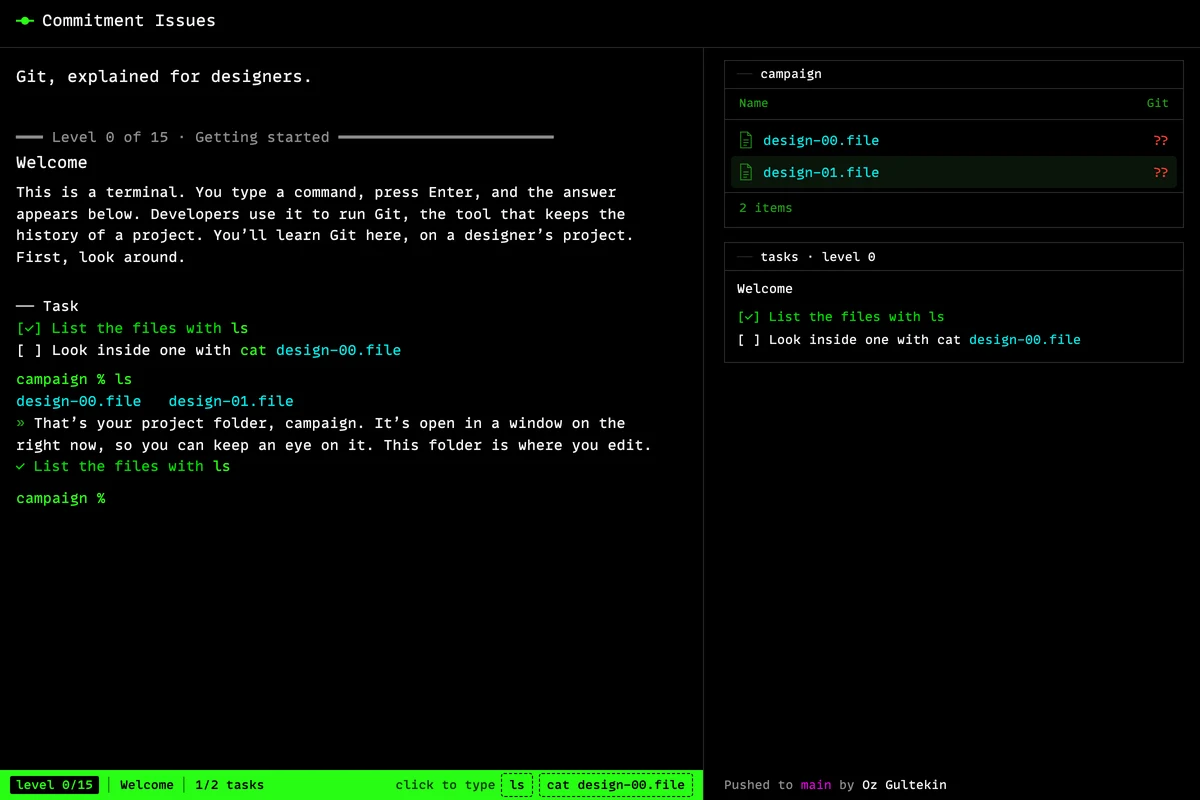
Commitment Issues teaches designers Git in a real-looking terminal, through one client project. A map shows Git’s three places, the folder, staging and history, with a chip for each version of each file. Before key commands you predict what will happen, then type the command and see. Help fades command by command, across sixteen short levels from your first snapshot to fetching a teammate’s work.
What problem does it solve?
Designers end up working next to Git sooner or later. A developer asks for the new logo on a branch, a pull request needs a review, or someone says there is a merge conflict in the tokens. Most Git tutorials teach it through code. Commitment Issues uses a designer’s project folder instead, so the terminal is the only new thing.
How it works
You play a designer on a spring campaign for a client. The game teaches Git’s structure before its commands. Level 0 introduces the terminal. In level 1 a map opens with Git’s three places, your folder, staging (the next snapshot) and history (the snapshots you’ve saved). Each file shows as a chip with a version number, so one file can sit in two places at once, v2 in the folder and v1 in staging. That makes the most common surprise in Git visible before it happens.
Before key commands, the terminal asks you to predict the outcome. Which version will the snapshot take? How many files does a new branch add? What will “git status” say after a teammate pushes? You answer with a, b or c, then type the command and see. Help fades command by command. The first time, a click types the full command. The second time, you get a template with a blank. After that, only the goal, and a mistake brings the earlier step back.
The order follows research on how people learn Git. Three places, then snapshots as whole-project pictures rather than lists of changes, then branches as labels that move, HEAD as “you are here”, merging, a conflict between two of your own branches, and finally the team’s copy with “git fetch” before “git pull”. A history window draws every snapshot as a stop on a line, and clicking a stop shows everything in it. The last level is a hand-off with no help at all, and a bonus level covers setting work aside.
Whom it’s for
Designers who work with developers and want to know what a branch, a merge or a conflict does to their files, and want the terminal to stop feeling foreign.
Tech
A static page with no build step and no backend. Git is simulated by a small model of commits, branches, a staging area, a remote and a stash, written in plain JavaScript, with a command parser that prints Git’s own messages. Each level is a starting state plus checks against that state. Progress is kept in your browser.
Frequently asked questions
Do I need to know how to code?
No. The story edits the design files for you. You only type Git commands. The first time a command comes up, a button types it for you. The next time you get a template with a blank, and after that only the goal.
Will I learn the real commands?
Yes. The terminal answers the way Git does, with a plain-language note under each answer. Type hint for the commands a level needs, or cheat for the full list.
What does it cover?
Starting a history, snapshots, the staging area, opening old versions, undoing safely, branches, merging, connecting and pushing to a shared copy, pulling, conflicts, stashing, and throwing away a change.
How long does it take?
About twenty minutes for levels 0 to 15, plus a short bonus level. Progress is saved in your browser, so you can stop and come back.
Can I skip ahead?
Yes. Type level and a number, like level 9. The project is rebuilt to where it would be at the start of that level.
Is this real Git?
No. It is a small simulation of how Git behaves, built so each level can teach one idea at a time.